Picture a classroom of keen students, each one bringing different questions and struggles. Now picture meeting with them not in a crowded office down the hall, but online from your own home, with students joining from all over the world. One wants help with a stubborn calculus problem, another wants feedback on an essay draft, and you can work through it with each of them face to face in a virtual meeting.
That isn't science fiction. Virtual office hours are already an important part of modern education. The more learning moves online, the more students and educators need easy, flexible ways to connect outside scheduled classes. Below, we look at how virtual office hours link in-person and online teaching and offer an up-to-date answer to a very old need: one-on-one time with an educator.
What Virtual Office Hours Are
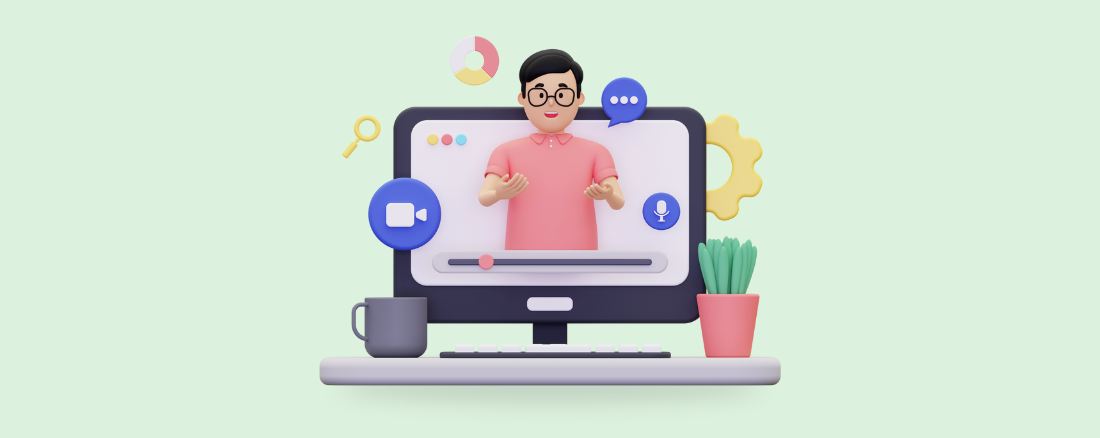
Virtual office hours are set blocks of time when an educator is available to students beyond regular class time. Classic office hours happen in a physical office or classroom; the virtual version moves those sessions online. Educators use video conferencing software to talk with students live and give them individual support. The format makes for more direct, focused conversations between students and teachers and helps build a learning environment that feels supportive and engaging.
Why Educators Offer Them
Holding office hours online bridges the gap between online and in-person learning, giving every student fair access to their educators and a direct line of communication.
The main advantages include:
Flexibility: students can join from wherever they are, so nobody has to be on campus and varied schedules are easier to fit in.
Accessibility: students with physical disabilities or those living far away can take part without obstacles, which makes learning more inclusive.
Rapport: talking one-on-one helps students and teachers get to know each other, and that relationship is key to a supportive learning environment.
Live, personal teaching: it opens another channel for individual instruction and help in real time.
Tools and Tips for Better Sessions
Video Conferencing
Good virtual office hours start with a dependable video conferencing platform. It should be simple to set up and easy to find your way around, so neither educators nor students get stuck on technical problems. Look for sharp video and clear audio, screen sharing and a steady connection.
RBI Cloud Connect video conferencing gives educators one unified platform for running meetings, sharing materials and working with students live. Sessions become more engaging and interactive, and visual aids plus live discussion help students make sense of difficult topics.
Recorded Lessons
Recordings made ahead of time are a great way to give students extra support. An educator might record a walk-through of course material, answers to common questions or a full review session. Students can watch whenever they like and learn at their own speed.
With RBI Cloud Connect, recording and storing these sessions is straightforward, so they're on hand any time a student needs them. That's especially helpful in demanding subjects, where students may want to replay an explanation several times.
Phone Systems
Video works very well, but an audio-only choice matters too. Some students aren't comfortable on camera or don't have the equipment, and others want or need more privacy.
RBI Cloud Connect phone systems let educators hold office hours over ordinary voice calls, so every student can join whatever their preferences or technical limits. This is especially useful when internet bandwidth is a concern, because a reliable phone system keeps the conversation going without interruption.
Virtual Whiteboard (Vibe Smart White Board)
Interactive tools such as virtual whiteboards make online office hours richer by letting people collaborate live. The Vibe Smart Whiteboard, available through RBI Cloud Connect, gives educators and students a shared space to draw, write and brainstorm. It's ideal for showing how a concept works, solving problems step by step or sorting out ideas. Because it feels like the familiar classroom whiteboard, students find it easier to follow along and take part. Vibe is smooth and intuitive to use, which encourages livelier, more interactive sessions.
Bring Virtual Office Hours to Your School
Virtual office hours have become a key part of modern teaching, helping educators reach students with very different needs. By following these practices and using the full set of UCaaS tools from RBI Cloud Connect, educators can build an online learning space that's supportive and interactive. The result is better education and fair access to the resources every student needs. Want to talk about what would work for your school? Contact our team.
Frequently asked questions
Do virtual office hours have to be on video?
No. Video is effective, but offering an audio-only option over a phone system lets students who aren't comfortable on camera, lack equipment or have limited bandwidth still take part.
How can students review material after a session?
Educators can record explanations, answers to common questions or review sessions, and RBI Cloud Connect makes it easy to store those recordings so students can revisit them whenever they need.