
The answer is straightforward. Check the network before anyone places a single call, and check it again whenever call quality seems off. Testing on Day One lets you go live with confidence; testing on Day Two tells you what changed when quality slips.
Fast Internet Is Not Automatically Voice Ready

Your staff may stream video, move files around and hop on online meetings all day with no trouble. Even so, that does not prove your network can handle Cloud PBX calling.
Voice traffic is unusually sensitive. Tiny glitches that would go completely unnoticed while you browse the web can leave a caller sounding like they are speaking from the bottom of a well. The only reliable way to find out is to test your network in exactly the way a Cloud PBX system will use it.
Meet the Network Assessment Tool
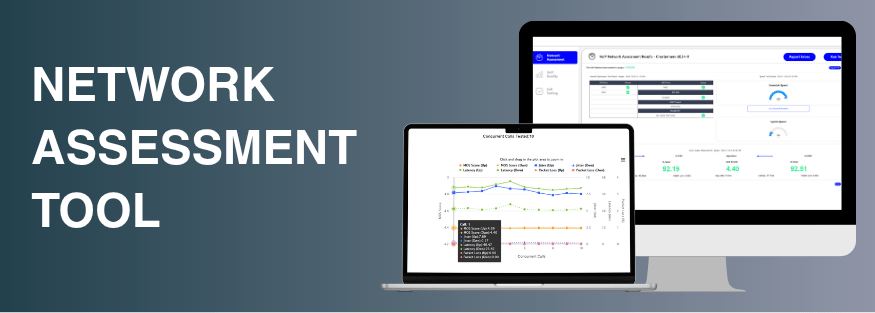
The Network Assessment Tool is a desktop application that runs inside the environment where the phones will live. It acts like an IP phone on the network, rather than a browser test launched from someone's laptop. That difference is important: browser tools make an estimate, while this tool takes real measurements.
It checks the things most likely to cause choppy audio and dropped calls, such as bandwidth, jitter, packet loss and firewall settings. If you want the complete picture, it also looks at latency, SIP ALG, Double NAT and how the network copes with concurrent calls. When the test finishes, everything is gathered into a PDF report you can share, giving your IT team something they can act on straight away.
Day One: Check the Network Before Go-Live

Treat it like a dress rehearsal. Run the assessment ahead of installation so you know exactly what you are dealing with before the first call goes through.
- A launch with no surprises. With the assessment done, you already know the network is ready when you go live.
- A report you can pass along. Your IT team receives a clear PDF that lays out what was tested and how it performed.
- A better first impression. A finished assessment shows that nothing was taken for granted; the network was checked and confirmed.
- Fewer calls to support. Problems spotted before installation never turn into problems on launch day.
Day Two: Retest When Things Change

No network stays the same forever. You hire more people, new applications start eating bandwidth, or your internet provider changes something on their side. Any one of these can chip away at call quality months after a flawless install.
Running the tool as soon as quality dips removes the guesswork and produces a clear report pointing to where the trouble actually starts.
- Quicker fixes. Find out right away whether the network is to blame or the cause lies elsewhere.
- More trust. Answering a quality complaint with real data strengthens relationships instead of straining them.
- Catching problems early. Dealing with an issue before it grows beats waiting for complaints to pile up.
Make Network Testing Standard Practice
The Network Assessment Tool runs on Windows and macOS and is offered at a nominal cost. That is a small price next to a troublesome installation or hours lost chasing a problem one quick test would have revealed.
Day One brings confidence and Day Two brings answers. Used together, they make checking network readiness a normal part of every rollout. You can also review our network compatibility guidance or ask our team about testing your network.
Frequently asked questions
What does the Network Assessment Tool test?
It tests bandwidth, jitter, packet loss and firewall configuration, plus latency, SIP ALG, Double NAT and concurrent call performance.
Why not just use a browser-based speed test?
Browser-based tools estimate performance. The Network Assessment Tool runs as a desktop application that behaves like an IP phone on the network, so it measures performance directly.
When should I run a network assessment?
Run it before installation to confirm the network is ready, and again whenever call quality changes.