
Once winter loosens its grip, Canadian businesses get one of their best stretches of the year. Highways open up, people start travelling again, and your staff can finally sit down with the prospects they have been emailing since December. Trade shows return, site visits get booked, and sales reps venture beyond their normal territory. None of that energy should be held back by a phone that only works at a desk.
If your company plans to grow aggressively in 2026, the Advanced UC Softphone App gives you a quicker, more flexible way to stay in touch, while keeping every bit of the capability you expect from a proper business phone system.
A Quick Look at the Advanced UC Softphone
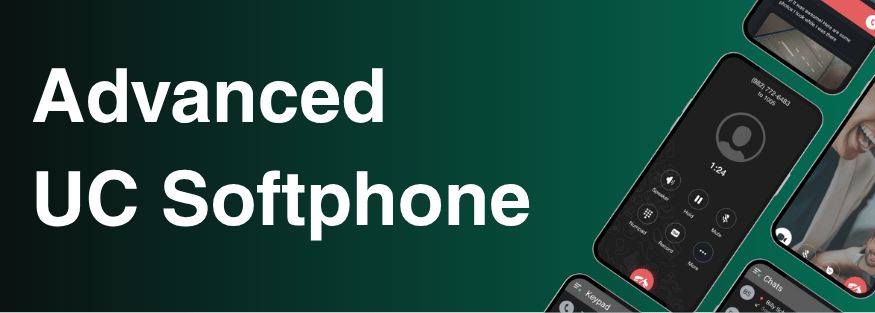
Put simply, the Advanced UC Softphone App is a phone built in software, packed with features, that runs on a computer or a mobile device. Technically it is a SIP soft client: it takes everything the Hosted PBX platform can do and carries it past the desk phone or landline onto each user's mobile, giving you a full Unified Communications package.
Picture the phone system from your office, rebuilt to run on the laptops and smartphones your people use all day anyway. Staff working from home, crossing the province for meetings, or handling a packed reception area at head office all stay linked through the same platform. Because it runs on Android and iOS phones as well as Windows and macOS computers, nobody gets left out, no matter where the season sends them.
1. Reachable From Anywhere the Job Goes

This time of year is ideal for leaving the office and meeting new customers face to face. The catch is an old one: communication splinters. With people out on the road, calls slip through, clients grow impatient, and deals that were nearly signed begin to go cold.
The Advanced UC Softphone lets each user keep one professional business identity, whether they are dialling from a hotel lobby in Edmonton, a parking lot in Kelowna, or a café in between appointments.
Say a sales rep places a call from a laptop on the way out of the office. Once they are driving, they can carry on the very same conversation from their mobile without a hitch. The app connects through any firewall using an ordinary HTTPS connection, so it works the same in a hotel meeting room, at a customer's office or on a trade show floor, with no VPN to configure and no network rules to fight. Encryption is switched on for every call and message from the start, so client discussions stay confidential wherever they happen.
There is a bonus for your IT people, too. However many devices someone signs in on, the app counts as just one registration on your Cloud PBX, so nobody has to untangle a pile of separate connections. Each user gets one extension that follows them across all their devices, and it all works together without extra complexity.
2. Every Way to Communicate in a Single App

Staff working a fresh territory don't have time to bounce between one app for calls, another for messages and a third for contacts. The Advanced UC Softphone App rolls all of it into one straightforward experience.
From a single place, users look after their contacts, call history, voicemail and settings, including greetings, answering rules and presence. Calling is only part of it: co-workers can chat one-on-one or in groups, and swap files, photos, locations and voice messages without ever leaving the platform.
Texting is built in as well. SMS is a billable add-on, and an administrator turns it on user by user in the Manager Portal. After that, your staff can text outside contacts back and forth without reaching for a personal phone or a separate messaging tool. Picture a field rep following up with a lead after a trade show, or confirming a meeting time with a client while travelling: sending a professional text from the business number, in the same app they use for calls, keeps the whole conversation together and their personal number private.
When a rep is working through a full day of appointments in an unfamiliar city, communication this streamlined is more than handy. It gives them a real edge over the competition.
3. See Who Is Free Before You Dial

Chasing new business in the spring adds moving parts. The person who closes deals may be tied up in a meeting, and your technical lead may already be on another line. Hunting down the right colleague at the right moment burns time your team simply doesn't have.
Built-in presence status takes that friction away. In the app's Contacts tab, the My Team section lists every team member next to their current availability. Someone out in the field can tell at a glance who is free, who is busy and who to bring in, instead of sending three messages that go unanswered first.
4. Call Handling Tools Made for Business

Placing and answering calls is only the beginning. The Advanced UC Softphone App also includes the professional call handling tools that growing, customer-facing teams rely on.
Call Parking. A user can put a call on hold from one device or extension and retrieve it on another. That is a genuine help to reception staff juggling incoming calls while the field team is out creating more of them.
Synced recordings. Call recordings automatically appear on every device. A rep who records a client call on their phone while travelling can listen back later at their desktop. When a team is moving quickly and pitching new accounts this spring, having an accurate record of each conversation is essential.
History and call details. Call history and call detail features help people stay organized and follow up precisely. With a calendar full of outside meetings, the specifics of every conversation count.
How to Get Set Up Through Your Cloud PBX
Before anyone can use these features, they need access to your Cloud PBX through the Manager Portal. To switch the app on, an administrator opens the Phone Tab for that user in the Manager Portal and chooses Activate Advanced Softphone. A Success screen then appears showing the user's access details, and those details are emailed straight to the user.
With that email in hand, the user can sign in either by typing in their authentication credentials or by scanning the QR code included in the activation email. The softphone's credentials are separate from, and different to, any portal login, which keeps security tidy and tied to each role. After activation, people are working on mobile and desktop within minutes.
Get the App and Start Moving
Your people are ready to go, so make sure the phone system can keep pace. The Advanced UC Softphone App is out now on both leading mobile platforms. Install it today and be prepared for each call, each meeting and each opportunity the spring season brings.
- Download on the App Store, for iPhone and iPad
- Get it on Google Play, for Android devices
- Download for Windows, for Windows computers
- Download for macOS, for Mac computers
Already with RBI Cloud Connect? Ask your administrator for your activation email and you will be set up in minutes. You can also read more on our UC Softphone page.
See the Difference for Yourself
The season doesn't last long, and the opportunity is genuine. Companies that act fast, turn up in person and stay easy to reach along the way tend to finish Q2 with healthier pipelines and new accounts their competitors overlooked. The Advanced UC Softphone App gives your staff the professional communication backbone to travel further, push harder and never lose a deal just because they were out of the office.
Whether you lead a growing professional services firm, a business with several locations, or a quick-moving team about to break into new markets, now is the moment to clear away the communication bottlenecks slowing you down. Talk to RBI Cloud Connect to get started.
Frequently asked questions
Which devices can run the Advanced UC Softphone App?
It runs on Android and iOS mobile devices and on Windows and macOS desktop computers.
Do I need a VPN to use the app away from the office?
No. The app works behind any firewall over a standard HTTPS connection, and every call and message is encrypted by default.
Is texting included?
SMS is built into the app, but it is a billable add-on that an administrator must enable for each user in the Manager Portal.